
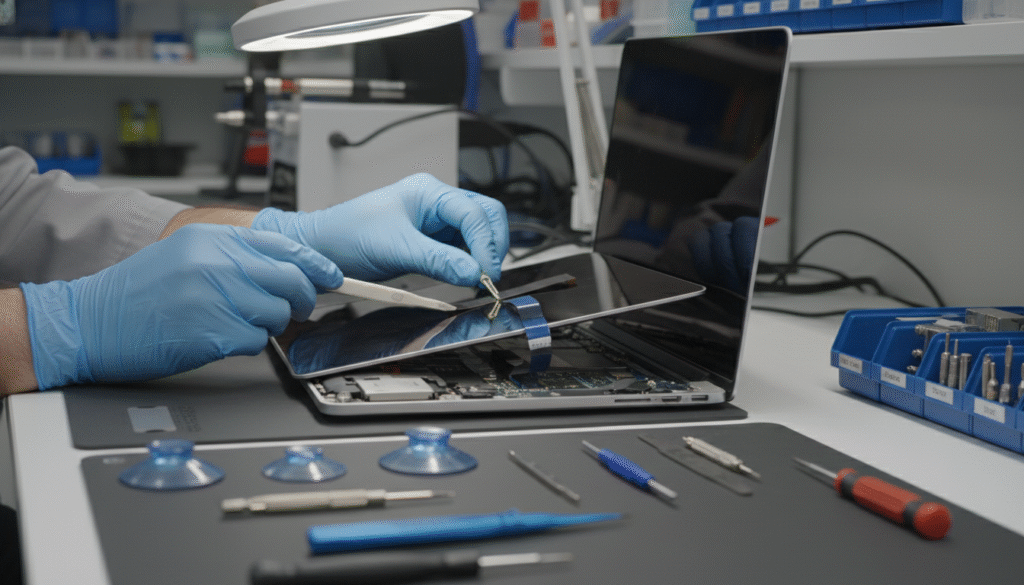
We’ve analyzed service quality, pricing transparency, warranty coverage, and customer experiences across the country. You’ll discover which providers offer genuine Apple parts, doorstep services, and the fastest turnaround times for your specific MacBook model.
Understanding MacBook Screen Damage and Repair Needs

MacBook screens can suffer various types of damage that require professional repair service. Physical cracks from drops or pressure represent the most common issue. Display problems like flickering, color distortion, or complete blackouts also necessitate screen replacement.
Understanding your specific screen issue helps you communicate effectively with repair macbook service providers. Some problems might seem like screen damage but could involve other components. Professional diagnosis ensures accurate repair recommendations.
Common Screen Problems
- Physical cracks and shattered glass
- Dead pixels or stuck pixels
- Backlight bleeding or failure
- Flickering or unstable display
- Lines or distortion on screen
- Complete display blackout
- Color accuracy problems
- Touch bar malfunction (newer models)

The cost macbook screen repair depends on your specific model and damage type. MacBook Air models typically have different pricing than MacBook Pro versions. Retina displays generally cost more to replace than standard screens.
Important Note: Not all screen issues require complete replacement. Some problems can be resolved through cable reconnection or software updates. Professional diagnostic services help avoid unnecessary expenses.
Best MacBook Screen Replacement Service Providers in India
We’ve evaluated India’s leading macbook repair centers based on service quality, parts authenticity, pricing, warranty coverage, and customer satisfaction. These providers demonstrate consistent excellence in MacBook screen replacement across different models.

Premium Service Providers

iFix India – Editor’s Choice
Recommended Coverage
iFix India specializes in Apple MacBook repairs across all models. They operate service centers in major cities while offering doorstep pickup drop service nationwide. Their expert technicians use only certified replacement parts.
Key Features:
- Same-day screen replacement available
- 1 year warranty on all screen repairs
- Free pickup and drop service
- Transparent pricing with no hidden costs
- Original and certified aftermarket parts
- Expert macbook repair technicians
- Service centers in 15+ cities
Pricing Range: MacBook Air screen replacement starts at ₹12,000, while MacBook Pro models range from ₹15,000 to ₹45,000 depending on model and screen type. The exact cost varies with your specific device.
Turnaround Time: 24-48 hours for most models with parts in stock

MacBook Screen Replacement Cost in India: Detailed Breakdown
Understanding MacBook screen replacement pricing helps you budget appropriately and identify fair service quotes. The cost macbook screen repair varies significantly based on multiple factors including model, screen type, and parts quality.

Price Factors That Impact Replacement Cost
MacBook Model
Newer MacBook Pro models with Retina displays cost significantly more than older MacBook Air versions. The exact cost depends on your specific model year and screen technology.
Screen Type
Standard LCD screens are less expensive than Retina displays. True Tone technology and P3 wide color gamut screens command premium pricing for replacement.
Parts Quality
Original Apple parts cost more than compatible aftermarket options. Quality parts ensure better longevity and display performance after repair.
Service Location
Metropolitan service centers may charge differently than smaller cities. Doorstep services typically add convenience charges to base repair pricing.
Model-Specific Pricing Guide
| MacBook Model | Screen Size | Price Range (₹) | Repair Time |
| MacBook Air 2015-2017 | 13.3 inch | 10,000 – 18,000 | 24-48 hours |
| MacBook Air 2018-2020 | 13.3 inch Retina | 16,000 – 28,000 | 24-72 hours |
| MacBook Air M1/M2 | 13.6 inch Liquid Retina | 22,000 – 35,000 | 48-96 hours |
| MacBook Pro 13″ 2015-2017 | 13.3 inch Retina | 15,000 – 25,000 | 24-48 hours |
| MacBook Pro 13″ 2018-2020 | 13.3 inch Retina | 20,000 – 32,000 | 48-72 hours |
| MacBook Pro 13″ M1/M2 | 13.3 inch Retina | 25,000 – 38,000 | 48-96 hours |
| MacBook Pro 15″ 2015-2019 | 15.4 inch Retina | 25,000 – 42,000 | 48-120 hours |
| MacBook Pro 16″ 2019-2021 | 16 inch Retina | 35,000 – 55,000 | 72-144 hours |
| MacBook Pro 14″ M1/M2 Pro | 14.2 inch Liquid Retina XDR | 38,000 – 58,000 | 96-168 hours |
| MacBook Pro 16″ M1/M2 Pro/Max | 16.2 inch Liquid Retina XDR | 45,000 – 68,000 | 96-168 hours |
Price Variation Notice: The prices listed represent typical market ranges in India. Actual costs may vary based on service provider, parts availability, damage extent, and your location. Always request detailed quotes before proceeding with repairs.

Hidden Costs to Consider
Beyond the basic screen replacement price, several additional costs might apply. Understanding these helps you avoid surprises when receiving final bills.
- Diagnostic fees (usually ₹500-1,500, often waived if you proceed with repair)
- Pickup drop service charges (₹200-800 depending on distance)
- Urgent or express service premiums (20-40% additional charge)
- Additional component repairs if damage extends beyond screen
- Screen protector or protective film application fees
- Data backup services if needed before repair
- Calibration and testing charges for premium displays
- Tax and service charges (varies by provider)
Original vs Aftermarket Parts: Making the Right Choice
Selecting between original Apple parts and aftermarket alternatives significantly impacts your repair experience, device performance, and long-term satisfaction. Understanding the differences helps you make informed decisions.

Original Apple Parts
Advantages
- Perfect color accuracy and calibration
- Guaranteed compatibility with all MacBook features
- Maintains device resale value
- True Tone and Night Shift function properly
- Preserves Apple warranty if applicable
- Longest lifespan and durability
- Factory-level quality assurance
Disadvantages
- Significantly higher cost
- Longer wait times for parts availability
- Limited availability outside authorized centers
- No flexibility in pricing negotiations
Premium Aftermarket Parts
Advantages
- 30-50% cost savings compared to original
- Comparable visual quality and performance
- Wider availability across service centers
- Faster repair turnaround time
- Good warranty coverage from reputable providers
- Suitable for older MacBook models
Disadvantages
- May affect resale value perception
- Slight color accuracy variations possible
- Quality varies between manufacturers
- Some advanced features might not work perfectly

Quality Verification Checklist
Regardless of parts type chosen, verify these quality indicators before approving macbook screen replacement:
Visual Quality Tests
Screen display quality determines your daily user experience and device value.
- Check for uniform brightness across entire screen
- Test color accuracy with standard images
- Verify no dead pixels or bright spots
- Examine viewing angles and color shift
- Test backlight bleeding in dark environment
Functional Verification
All MacBook features should work correctly after screen replacement completion.
- True Tone adjustment functionality
- Ambient light sensor operation
- Brightness controls responsiveness
- Night Shift mode activation
- Camera and sensor alignment
Physical Inspection
Proper installation ensures longevity and prevents future issues with your device.
- Screen sits flush with body frame
- No gaps or uneven spacing
- Hinge operates smoothly
- Clips and brackets secure
- Cable connections properly seated
Warranty Documentation
Comprehensive warranty coverage protects your investment in screen replacement service.
- Written warranty certificate provided
- Clear coverage terms specified
- Parts and labor both covered
- Warranty period clearly stated
- Claim process documented
Understanding Warranty Coverage for MacBook Screen Repairs
Warranty macbook screen repairs provide essential protection for your investment. Different warranty types offer varying coverage levels, and understanding these differences helps you select the best repair service provider.

Warranty Types and Coverage
Standard Service Warranty
6 Months
Most independent repair centers offer six-month coverage on parts and labor. This warranty protects against manufacturing defects in replacement parts and installation errors.
Typically Covers:
- Screen defects and malfunctions
- Installation-related issues
- Parts failure during coverage period
- Free replacement of defective parts
Does Not Cover:
- Physical damage from drops or impacts
- Liquid damage to device
- Unauthorized repairs or modifications
- Normal wear and tear
Extended Service Warranty
1 Year
Premium service providers like iFix India offer comprehensive year warranty coverage. This extended protection provides greater peace mind and value for expensive repairs.
Typically Covers:
- All standard warranty benefits
- Extended coverage period
- Priority service for warranty claims
- Transferable to new owner (sometimes)
- Free pickup drop for warranty repairs
Additional Benefits:
- Loaner device during warranty repair
- No-questions-asked replacement policy
- Comprehensive defect coverage
- Multiple claim allowance
Apple Limited Warranty
1 Year
Apple’s official warranty covers manufacturing defects but typically excludes accidental damage. This applies only to repairs done at Apple authorized service centers.
Typically Covers:
- Manufacturing defects in parts
- Hardware failures not caused by user
- Workmanship issues from repair
- 100% genuine Apple parts
Important Notes:
- Premium pricing for repairs
- Strict terms and conditions
- May void existing AppleCare coverage
- Longer wait times for service

Maximizing Your Warranty Benefits
Essential Tips for Warranty Protection
- Always request written warranty documentation immediately after repair macbook completion
- Verify warranty terms cover both parts and labor costs
- Understand exclusions and limitations clearly before service
- Keep all repair receipts and warranty certificates safely
- Register warranty details with service provider if required
- Note warranty claim procedures and contact information
- Test device thoroughly during initial warranty period
- Report any issues immediately to avoid coverage disputes
Warranty Comparison by Provider Type
| Provider Type | Warranty Period | Coverage Scope | Claim Process |
| Apple Authorized | 12 months | Manufacturing defects only | Visit service center with appointment |
| Premium Independent (iFix India) | 12 months | Parts, labor, defects | Call support, free pickup arranged |
| Standard Independent | 6-9 months | Parts and labor | Return to service center |
| Budget Service | 3-6 months | Parts only (limited) | Walk-in service required |
MacBook Screen Replacement Turnaround Time
Understanding realistic time expectations helps you plan accordingly when your MacBook requires screen repair. Turnaround time varies based on multiple factors including parts availability, service provider capacity, and damage complexity.

Typical Repair Timelines
Express Service
Same Day
Same-day macbook screen replacement available for common models when parts are in stock. Premium service charge typically applies for express handling.
Best For:
- Urgent business needs
- Common MacBook models
- Metro city locations
- Standard damage types
Availability: Limited to select providers and models
Standard Service
2-4 Days
Most macbook repair services complete screen replacement within this timeframe. This provides adequate time for quality work and parts procurement if needed.
Best For:
- Most MacBook models
- Balanced cost and speed
- Quality-focused repairs
- Non-urgent situations
Availability: Standard option at most service centers
Extended Service
5-10 Days
Newer or rare MacBook models might require extended time for parts delivery. Complex damage or additional repairs also extend the overall turnaround time.
Best For:
- Rare MacBook models
- Custom part orders
- Multiple repairs needed
- Budget service options
Availability: Expected for specialty repairs

Factors Affecting Repair Speed
Speed Enhancers
- Parts readily available in stock
- Common MacBook model and screen type
- Service center has low workload
- Simple screen-only damage
- Express service payment option
- Walk-in service at physical location
- Pre-booked appointment slot
Delay Causes
- Rare parts requiring special order
- Newest MacBook models with limited parts
- High service volume periods
- Additional component damage discovered
- Doorstep pickup drop service logistics
- Quality testing and calibration time
- Weekend or holiday timing
Optimizing Your Repair Timeline
Several strategies help you minimize downtime and expedite your MacBook screen replacement process:
- Contact Multiple Providers: Compare turnaround time commitments along with pricing. Some centers prioritize speed while others focus on cost savings.
- Verify Parts Availability: Confirm the service center has your specific screen model in stock before committing. This prevents unexpected delays.
- Schedule Strategically: Book repairs early in the week to avoid weekend delays. Morning drop-offs often receive priority attention.
- Prepare Your Device: Complete data backups and remove passwords beforehand. This eliminates waiting time for these preparatory steps.
- Choose Appropriate Service Level: Balance urgency against budget. Express services cost more but deliver when time is critical.
- Consider Doorstep Options: Some providers offer on-site repairs that eliminate transportation time for certain models.
How to Choose a Reliable MacBook Screen Replacement Service
Selecting the right macbook repair service provider ensures quality results, fair pricing, and peace mind throughout the repair process. These evaluation criteria help you identify trustworthy expert technicians and service centers.
Essential Evaluation Criteria
Certification & Expertise
Verify technician qualifications and Apple certification status. Specialized MacBook training indicates higher skill levels and better repair outcomes.
Critical Factor
Parts Quality
Inquire about parts sourcing and quality grades. Reputable providers clearly explain original versus compatible options without pressure tactics.
Quality Indicator
Warranty Terms
Strong year warranty coverage demonstrates provider confidence in their work. Review warranty terms carefully for coverage scope.
Protection Factor
Customer Reviews
Research online reviews and ratings across multiple platforms. Consistent positive feedback indicates reliable service delivery.
Trust Signal
Red Flags to Avoid
Warning Signs of Unreliable Service Providers
- Refusing to provide written cost estimates or warranty documentation
- Pressure tactics to choose most expensive options immediately
- Vague answers about parts sourcing or quality standards
- No physical service center address or verification
- Extremely low pricing that seems too good to be true
- Negative reviews mentioning hidden charges or poor service
- Unwillingness to allow you to inspect completed work
- No clear complaint resolution or customer support process
- Requesting full payment before starting any diagnostic work
- Lack of proper business registration or tax documentation

Questions to Ask Before Committing
What type of replacement screen will be installed?
Request specific details about parts origin, quality grade, and compatibility. Understand differences between original Apple, OEM, and aftermarket options. Confirm whether the screen includes all necessary components.
What warranty coverage comes with the repair?
Clarify warranty duration, coverage scope (parts and labor), claim process, and any exclusions. Request written warranty certificate before approving work. Verify whether warranty transfers if you sell the device.
How long will the repair take to complete?
Get realistic timeline estimates based on current workload and parts availability. Ask about express service options and associated costs. Confirm whether they’ll contact you if delays occur.
What is included in the quoted price?
Ensure the quote covers all aspects: parts, labor, testing, and any applicable taxes. Clarify whether diagnostic fees apply and if they’re waived when proceeding with repair macbook service. Ask about potential additional costs.
Do you offer pickup and delivery services?
Inquire about free pickup drop service availability in your area. Understand any distance limitations or additional charges. Confirm device protection during transportation and insurance coverage.
Can I see examples of your previous work?
Professional providers maintain portfolios or customer testimonials. Request to see similar repairs if possible. This demonstrates their experience with your specific MacBook model and builds confidence.

Verifying Service Provider Credentials
Before entrusting your valuable MacBook to any service center, verify their legitimacy and expertise through these validation steps:
- Check business registration and GST documentation for legitimate operation
- Verify physical service center location through site visit or video call
- Search for online presence including website, social media, and business listings
- Review Google Business ratings and recent customer feedback
- Confirm technician certifications or Apple training documentation
- Validate warranty terms by reviewing sample warranty certificates
- Ask for customer references or case studies of similar repairs
- Verify insurance coverage for devices under their care
- Check membership in industry associations or repair networks
- Assess professionalism through initial consultation quality
Additional Services and Value-Added Benefits
Leading MacBook repair providers offer comprehensive services beyond basic screen replacement. These additional offerings enhance convenience, protect your device, and provide better overall value for your investment.
Doorstep Service and Convenience Options
Doorstep repair services eliminate the hassle of visiting service centers. Professional technicians come to your location, saving valuable time and effort.
Free Pickup & Drop
Many providers offer complimentary pickup drop service within designated areas. Technicians collect your MacBook, complete repairs at the service center, and return it to your location.
- No transportation needed
- Insured transit protection
- Scheduled at your convenience
- Real-time status updates
On-Site Repairs
Select providers perform macbook screen replacement at your home or office for compatible models. This offers maximum convenience for busy professionals.
- Watch repair process
- Immediate device return
- No data security concerns
- Flexible scheduling options
Express Service
Priority handling accelerates repair completion for urgent situations. While premium charges apply, express service minimizes your downtime significantly.
- Same-day completion possible
- Dedicated technician assignment
- After-hours availability
- Minimal waiting periods
Complementary Services Often Available

Free Diagnostic Testing
Comprehensive device evaluation identifies all issues before repair. This prevents surprises and ensures complete problem resolution in single service visit.
Includes:
- Complete hardware assessment
- Software functionality check
- Battery health evaluation
- Internal component inspection

Data Backup Services
Professional data protection ensures your important files remain safe during repair. Expert technicians handle backup and restoration processes carefully.
Includes:
- Complete system backup
- File integrity verification
- Post-repair data restoration
- Cloud backup assistance

Cleaning & Maintenance
Internal cleaning during screen replacement improves overall performance. Removing dust and debris prevents overheating and extends device lifespan.
Includes:
- Fan and vent cleaning
- Keyboard deep cleaning
- Port and connector maintenance
- Thermal paste reapplication

Screen Protection Installation
Professional screen protector application safeguards your new screen investment. Quality protectors prevent scratches and minor impacts.
Includes:
- Premium protector options
- Bubble-free installation
- Anti-glare variants available
- Perfect edge alignment

Software Optimization
System updates and optimization ensure your MacBook runs smoothly after hardware repairs. This comprehensive service maximizes device performance.
Includes:
- macOS updates installation
- Driver optimization
- Performance tuning
- Security patch application

Extended Warranty Options
Additional warranty coverage beyond standard terms provides long-term peace mind. Coverage extensions protect against future screen issues.
Includes:
- Up to 2-year coverage available
- Multiple claim allowance
- Accidental damage options
- Priority service benefits
Bundled Service Packages
Smart service providers offer comprehensive packages combining multiple services at discounted rates. These bundles deliver superior value compared to individual service pricing.
| Package Name | Services Included | Value Savings | Best For |
| Complete Care Package | Screen replacement, internal cleaning, software optimization, screen protector | Save ₹2,000-3,500 | Older MacBooks needing comprehensive service |
| Premium Service Bundle | Screen replacement, data backup, extended warranty, free pickup | Save ₹1,500-2,500 | Professionals requiring minimal downtime |
| Essential Repair Package | Screen replacement, diagnostic check, basic cleaning | Save ₹800-1,200 | Budget-conscious users |
| Business Express Package | Same-day screen replacement, doorstep service, loaner device | Save ₹2,500-4,000 | Business users requiring immediate service |
MacBook Screen Replacement Services Across Major Indian Cities
Quality macbook repair services are available throughout India’s metropolitan cities. Understanding location-specific options helps you find convenient, reliable service providers in your area.
Metro City Coverage
Bangalore & Hyderabad
Southern tech capitals offer sophisticated MacBook repair services. Strong IT industry presence ensures high service standards and expertise levels.
Advantages:
- Tech-savvy providers
- Latest repair techniques
- Quality assurance focus
- Corporate service packages
Average Cost: ₹10,500 – ₹56,000
DIY Screen Replacement vs Professional Repair Service
Some MacBook users consider DIY screen replacement to save costs. Understanding the complexities, risks, and realistic skill requirements helps you make informed decisions about professional versus self-repair approaches.

DIY Screen Replacement Reality Check
Potential DIY Advantages
- Potential cost savings on labor charges
- Learning experience for tech enthusiasts
- Complete control over parts selection
- Flexible timing without appointments
- Satisfaction from self-repair achievement
Significant DIY Risks
- High risk of additional damage during disassembly
- Voiding any existing warranty coverage
- Specialized tools investment requirement
- No warranty on self-installed parts
- Time-consuming troubleshooting issues
- Potential data loss from mistakes
- Difficulty obtaining genuine quality parts
- Hidden damage discovery mid-repair
Professional Repair Advantages
Expert macbook repair services provide value beyond simple part replacement. Comprehensive benefits justify professional service costs for most users.
Expertise & Experience
Trained technicians handle hundreds of repairs, developing refined skills.
- Proper diagnostic capabilities preventing misdiagnosis
- Efficient disassembly and reassembly procedures
- Knowledge of model-specific quirks and issues
- Ability to handle unexpected complications professionally
- Understanding of proper calibration requirements
Quality Assurance
Professional standards ensure consistently excellent repair outcomes.
- Comprehensive post-repair testing protocols
- Warranty backing repair quality and parts
- Access to genuine and certified components
- Proper ESD protection during handling
- Clean room environment preventing contamination
Time Efficiency
Professional service saves your valuable time and eliminates frustration.
- Repairs completed in hours versus days
- No learning curve or tutorial research needed
- Immediate problem resolution without troubleshooting
- Doorstep pickup drop eliminates travel time
- Focus on work while repair progresses
Risk Mitigation
Professional service eliminates costly mistake possibilities.
- No risk of additional damage from errors
- Insurance coverage for device under repair
- Guaranteed working device upon completion
- Recourse options if issues arise post-repair
- Maintains device value for future resale

When DIY Might Be Considered
Limited Scenarios for DIY Repair:
- Older MacBook models with minimal resale value where risk is acceptable
- You possess genuine technical expertise and prior laptop repair experience
- Proper specialized tools already owned or borrowed from reliable source
- Device already outside all warranty coverage with nothing to lose
- Access to quality genuine parts through verified suppliers confirmed
- Adequate time available for learning and troubleshooting potential issues
- Backup device available if repair extends or complications arise
- Understanding that mistakes will likely cost more than professional service
Cost Reality Analysis
Complete DIY cost analysis often reveals smaller savings than initially assumed once all factors are considered:
| Cost Factor | DIY Approach | Professional Service |
| Replacement Screen Part | ₹8,000 – ₹35,000 | Included in service price |
| Specialized Tools | ₹2,000 – ₹5,000 | ₹0 (included) |
| Labor/Time Value | ₹3,000 – ₹8,000 (opportunity cost) | ₹2,000 – ₹6,000 |
| Warranty Coverage | ₹0 (none provided) | Included (valued ₹2,000+) |
| Risk of Damage | ₹5,000 – ₹20,000 (potential) | ₹0 (insured) |
| Total Investment/Risk | ₹18,000 – ₹68,000 | ₹10,000 – ₹55,000 |
Maintaining Your MacBook Screen After Replacement
Proper maintenance after macbook screen replacement extends screen lifespan and protects your repair investment. Simple care practices prevent future damage and maintain optimal display quality.

Daily Care Best Practices
Proper Cleaning Methods
Regular gentle cleaning maintains screen clarity without causing damage to delicate display surfaces.
- Use only microfiber cloths specifically designed for screens
- Apply gentle circular motions without pressure
- Use screen-safe cleaning solutions only
- Never spray liquid directly on screen surface
- Clean when device is powered off and cool
Safe Handling Practices
Proper handling prevents accidental impacts and stress that could damage your new screen.
- Always open lid from center, not corners
- Close gently without slamming shut
- Never lift MacBook by screen portion
- Avoid placing objects on closed laptop
- Keep food and liquids away from device
Environmental Protection
Controlling exposure to harmful environmental factors preserves screen quality over time.
- Avoid direct sunlight exposure for extended periods
- Maintain moderate temperature and humidity
- Keep away from dust and debris accumulation
- Store in protective case when traveling
- Use keyboard covers to prevent key marks

Protective Accessories Worth Considering
Premium Screen Protector
Highly Recommended
Quality screen protectors provide affordable insurance against scratches, smudges, and minor impacts to your newly replaced screen.
Benefits:
- Prevents micro-scratches from daily use
- Reduces fingerprint visibility significantly
- Easy replacement when scratched
- Minimal impact on display clarity
- Anti-glare options available
Investment: ₹800 – ₹2,500
Protective Laptop Sleeve
Transport Safety
Padded sleeves protect your MacBook during transportation, preventing impacts and environmental exposure damage.
Benefits:
- Cushions against bumps and drops
- Water-resistant material protection
- Prevents scratches in bags
- Additional accessory storage
- Professional appearance options
Investment: ₹600 – ₹3,000
Keyboard Cover
Prevents Screen Marks
Silicone keyboard covers prevent key impressions on screen when MacBook is closed, a common cause of screen damage.
Benefits:
- Eliminates key mark transfer to screen
- Protects keyboard from spills and dust
- Easy to clean and maintain
- Preserves keyboard longevity
- Minimal typing impact
Investment: ₹300 – ₹1,200
Preventing Common Screen Damage
Understanding how screens get damaged helps you avoid these situations proactively:
Common Damage Causes
- Objects left on keyboard before closing lid
- Excessive pressure on screen while closed
- Dropping MacBook or impact damage
- Liquid spills near or on screen
- Cleaning with harsh chemicals or rough materials
- Temperature extremes causing stress
- Carrying in bags without protection
Prevention Strategies
- Always check keyboard area before closing
- Never stack items on closed MacBook
- Use protective sleeve during transport always
- Maintain liquid-free workspace zones
- Use only approved screen cleaning products
- Store in climate-controlled environments
- Invest in quality padded carrying case

Frequently Asked Questions About MacBook Screen Replacement
Common questions about MacBook screen replacement services help you understand the repair process, make informed decisions, and set realistic expectations.

How long does MacBook screen replacement actually take?
Standard macbook screen replacement typically requires 24 to 72 hours depending on parts availability and service center workload. Common models like MacBook Air and MacBook Pro 13-inch often complete faster when parts are in stock. Express same-day service is available from select providers for premium charges. Newer models with Liquid Retina XDR displays may require 3 to 7 days due to specialized parts procurement.
Will screen replacement affect my MacBook’s warranty?
Third-party screen replacement typically voids Apple’s limited warranty if still active. However, if your MacBook is already out of warranty, this concern doesn’t apply. Apple Authorized Service Centers maintain warranty validity but charge premium prices. Most users with expired warranties choose quality independent providers offering better value. The year warranty from providers like iFix India covers the repair work itself, providing adequate protection for your investment.
Can I get my data back if my screen is completely black?
Yes, your data remains completely safe on the internal storage even with screen damage. MacBook screen replacement doesn’t involve storage components. Reputable service providers can backup your data before repairs if requested. You can also connect your MacBook to external display to access files before repair. Professional services ensure data protection throughout the screen replacement process.
How do I know if I need complete screen replacement or just repair?
Professional diagnostic testing determines the exact issue and required solution. Physical cracks, shattered glass, or significant display malfunction typically require complete screen replacement. Minor issues like flickering might involve cable reseating or connector cleaning. Dead pixels in small quantities sometimes get resolved through software or pressure techniques. Expert technicians provide honest assessments recommending only necessary repairs to minimize your cost macbook repair expenses.
Are aftermarket screens as good as original Apple screens?
Premium aftermarket screens from reputable manufacturers offer comparable quality to Apple originals at lower prices. Color accuracy, brightness, and resolution match original specifications in high-grade replacements. Budget aftermarket options may show slight quality differences in viewing angles or color reproduction. Experienced service providers guide you toward appropriate quality tiers for your needs and budget. Original Apple parts guarantee perfect compatibility but cost 40 to 60 percent more than premium aftermarket alternatives.
What warranty should I expect on screen replacement?
Standard independent service centers typically offer 6 to 9 month warranty macbook repairs covering parts and labor. Premium providers like iFix India extend year warranty coverage for comprehensive protection. Apple Authorized Centers provide 12-month warranty at higher service costs. Warranty should cover manufacturing defects, installation issues, and parts failure during the coverage period. Always request written warranty documentation before approving any macbook repair service work.
Can screen replacement fix image retention or ghosting issues?
Yes, screen replacement resolves image retention, ghosting, and burn-in problems permanently. These issues result from display panel degradation that cannot be repaired through software or adjustments. New screen installation eliminates all previous display quality issues. Some temporary image retention might resolve through pixel refresh utilities, but persistent ghosting indicates screen replacement necessity. Professional diagnosis confirms whether replacement is required for your specific issue.
Do you offer pickup and delivery services for screen replacement?
Most premium MacBook repair services provide free pickup drop service within designated coverage areas. iFix India offers complimentary pickup from 150+ cities across India with insured transit protection. Service providers schedule convenient pickup times and return your device after completion. Doorstep services eliminate the hassle of visiting service centers while ensuring device safety during transportation. Some providers charge nominal fees for pickup services outside standard coverage zones.
Will True Tone work after third-party screen replacement?
True Tone functionality depends on the screen quality and technician expertise during installation. Premium aftermarket screens with proper ambient light sensors can support True Tone when correctly calibrated. Some budget screens may not include necessary sensors for True Tone operation. Experienced technicians using specialized tools can often enable True Tone post-replacement. Discuss True Tone requirements with your service provider before approving repairs to ensure compatible parts selection.
How much does MacBook screen replacement cost in India?
MacBook screen replacement costs range from ₹10,000 to ₹68,000 depending on your model and screen type. MacBook Air models typically cost ₹10,000 to ₹35,000 for screen replacement. MacBook Pro 13-inch repairs range from ₹15,000 to ₹38,000. Larger MacBook Pro 16-inch models with advanced displays cost ₹45,000 to ₹68,000. The exact cost varies with parts quality, service provider, location, and warranty coverage. Request detailed quotes from multiple providers for accurate pricing specific to your device model.
Get Expert MacBook Screen Replacement Service Today
Don’t let a damaged screen disrupt your productivity any longer. Professional macbook screen replacement services restore your device to perfect working condition quickly and affordably. Whether you need same-day express service or prefer comprehensive warranty coverage, expert technicians stand ready to help.

Why Choose iFix India for Your MacBook Screen Replacement?
iFix India delivers premium MacBook screen replacement services across India with unmatched quality and customer satisfaction. Our expert macbook technicians use only certified parts backed by comprehensive year warranty coverage. Experience hassle-free repairs with free pickup drop service, transparent pricing, and the fastest turnaround times in the industry.
Service Excellence Features
- Certified expert technicians with specialized MacBook training
- Original and premium aftermarket parts available
- Comprehensive 1 year warranty on all repairs
- Free pickup and drop service nationwide
- Same-day screen replacement for common models
- Transparent pricing with no hidden charges
- Service centers in 15+ major cities
- Complete data protection guarantee
- Post-repair support and assistance
- Competitive pricing with quality assurance

Simple Repair Process
1. Contact & Diagnosis
Call or visit website to describe your MacBook screen issue. Schedule free diagnostic assessment to determine exact repair requirements and cost.
2. Free Pickup
Our technicians collect your MacBook from your doorstep at your convenience. Insured transportation ensures complete device safety during transit.
3. Expert Repair
Certified technicians perform macbook screen replacement using premium parts. Comprehensive quality testing ensures perfect functionality before return.
4. Delivery & Warranty
Receive your fully repaired MacBook with complete warranty documentation. Enjoy peace mind with year warranty coverage on all repairs.

Schedule Your MacBook Screen Replacement Now
Experience the difference professional service makes. Our customer support team is ready to answer your questions, provide accurate quotes, and schedule convenient pickup times. Don’t wait – get your MacBook screen replaced today and return to full productivity.
Final Thoughts on MacBook Screen Replacement in India
Choosing the right MacBook screen replacement service in India requires balancing quality, cost, convenience, and warranty coverage. This comprehensive guide has equipped you with knowledge to make confident decisions about your device repair needs.
Remember that the cheapest option rarely delivers the best value. Premium service providers like iFix India offer superior parts quality, comprehensive warranties, and professional expertise that protect your investment. Their transparent pricing, doorstep services, and nationwide coverage make quality repairs accessible regardless of your location.
Whether your MacBook Air has a cracked display or your MacBook Pro shows backlight bleeding, expert repair solutions exist across India. Don’t let screen damage compromise your productivity. Contact certified service providers today for diagnostic assessments and accurate quotes. Your MacBook deserves professional care that restores it to perfect working condition.

Take action now to restore your MacBook’s functionality. Reach out to iFix India or other recommended providers to schedule your screen replacement service. With proper professional repair, your MacBook will serve you reliably for years to come.




About The Author: Imran
More posts by imran