
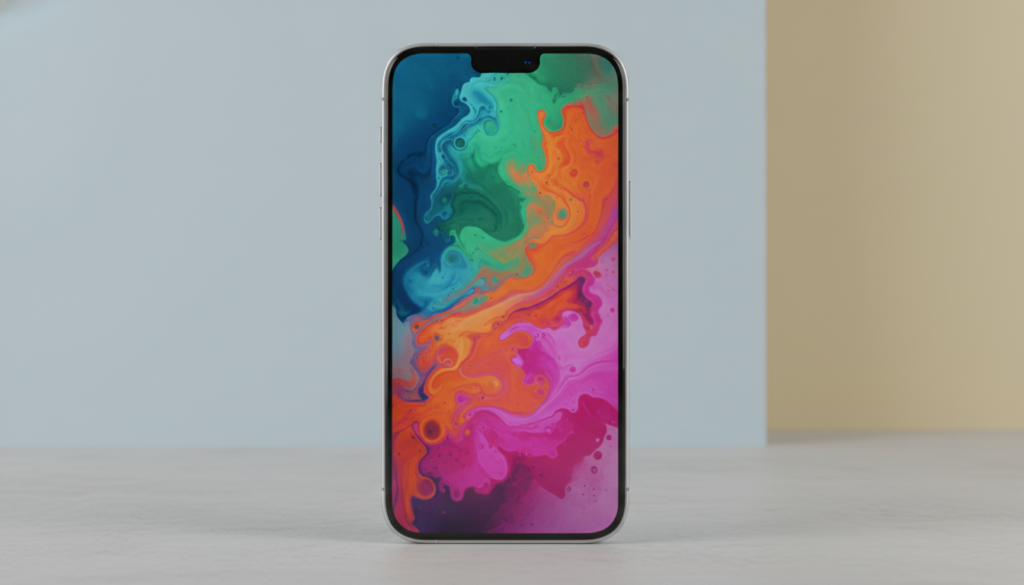

The Apple iPhone display technology continues to set industry standards. Each generation brings meaningful improvements that enhance user experience in daily life.
Apple’s commitment to screen excellence shows in every detail. From brightness levels to color accuracy, the display serves as your window to the digital world.
This comprehensive guide explores what makes the iPhone 17 display exceptional. You’ll discover technical specifications, real-world performance, and how these features benefit Indian users specifically.
Free iPhone Display Health Check Available Now
Our certified technicians offer complimentary display assessments for all Apple iPhone models. Get expert diagnosis and professional recommendations without any obligation.
Understanding iPhone 17 Display Technology

The Apple iPhone Pro models feature advanced OLED screen technology. This represents a significant evolution from traditional LCD panels used in earlier generations.
OLED displays offer superior contrast ratios compared to conventional screens. Each pixel produces its own light independently without requiring backlighting systems.
OLED Technology Advantages
Organic Light Emitting Diode technology delivers exceptional visual performance. The self-illuminating pixels create perfect black levels by turning off completely.

This capability produces infinite contrast ratios in practical terms. Dark scenes in video content appear dramatically more realistic than on LCD screens.
The OLED panel in the iPhone Pro Max demonstrates remarkable color accuracy. Apple’s calibration ensures faithful reproduction of content creator intentions.
Display Layer Construction
Multiple sophisticated layers work together seamlessly. The glass cover provides protection while maintaining optical clarity.

Below the surface sits the touch-sensitive digitizer layer. This component registers your finger movements with exceptional precision.
The actual OLED panel resides beneath protective layers. Millions of individual pixels create the images you see during use.
OLED Display Benefits
- Perfect black levels with pixels turning off completely
- Superior contrast ratios exceeding 1,000,000:1
- Wider viewing angles maintaining color accuracy
- Faster pixel response time reducing motion blur
- Thinner panel construction saving device space
- Lower power consumption for dark content
Technical Implementation
- Individual pixel light emission control
- Organic compound layer producing light
- Thin film transistor precise control system
- Advanced color filter array technology
- Integrated touch sensing capabilities
- Protective glass with oleophobic coating
Color Reproduction Excellence
Apple iPhone screens support multiple color spaces simultaneously. The display adapts to content requirements automatically.

Wide color gamut support enables vivid yet accurate reproduction. The P3 color space provides approximately 25% more colors than standard sRGB.
Content created in different color spaces displays correctly. The system automatically manages color profiles behind the scenes.
Professional photographers and video creators appreciate this accuracy. What you see on screen matches final output on calibrated displays.
Screen Size and Resolution Specifications

The iPhone 17 lineup offers multiple size options. Each model targets different user preferences and usage patterns.
The base model features a 6.3 inches diagonal measurement. This size balances screen real estate with comfortable one-handed use.
Model Size Variations
Different iPhone Pro models provide varied dimensions. The iPhone Plus variant offers expanded viewing area for media consumption.

The iPhone Pro model sits in the middle range. It provides substantial screen space without excessive device bulk.
The iPhone Pro Max delivers the largest display available. This model appeals to users prioritizing maximum screen real estate.
The iPhone Air introduces a lightweight option. Despite reduced weight, the screen maintains impressive size at competitive dimensions.
Resolution and Pixel Density
Pixel count determines image sharpness and clarity. Higher resolution values produce crisper text and detailed images.

The display resolution exceeds Full HD standards significantly. This ensures text remains readable even at small font sizes.
Pixel density typically ranges between 450-500 pixels per inch. At normal viewing distance, individual pixels become imperceptible to human eyes.
| Model Variant | Screen Size | Resolution Format | Pixel Density |
| iPhone 17 Base | 6.3 inches | 2556 x 1179 pixels | 460 PPI |
| iPhone 17 Plus | 6.7 inches | 2796 x 1290 pixels | 460 PPI |
| iPhone 17 Pro | 6.3 inches | 2622 x 1206 pixels | 476 PPI |
| iPhone 17 Pro Max | 6.9 inches | 2868 x 1320 pixels | 476 PPI |
| iPhone 17 Air | 6.6 inches | 2740 x 1260 pixels | 466 PPI |
Aspect Ratio Considerations
The screen proportions affect content display characteristics. Modern iPhone displays use taller aspect ratios than traditional formats.

This design choice provides advantages for scrolling content. Social media feeds and web pages benefit from additional vertical space.
Video content displays differently depending on source format. Widescreen movies show letterboxing to maintain original proportions.
Apps adapt to available screen dimensions automatically. The operating system manages interface scaling seamlessly.
Protect Your iPhone Display Investment
Expert screen protection installation services ensure your Apple iPhone Pro display remains pristine. Our certified technicians apply premium tempered glass protectors with perfect alignment and bubble-free application.
Brightness and Lighting Performance

Display brightness directly impacts usability in various environments. The Apple iPhone delivers impressive luminance levels across different scenarios.
Peak brightness capabilities reach exceptional levels on Pro models. This enables comfortable viewing even in direct sunlight conditions.
Standard Brightness Capabilities
Typical content displays at sustainable brightness levels. These settings balance visibility with power efficiency considerations.

The screen produces approximately 1000 nits for regular use. This measurement ensures clear visibility in most indoor and outdoor settings.
Automatic brightness adjustment adapts to ambient lighting conditions. The built-in light sensor measures surrounding illumination continuously.
Users can override automatic settings through manual control. The brightness slider provides precise adjustment according to personal preferences.
Peak Brightness for HDR Content
High Dynamic Range content triggers enhanced brightness mode. The display temporarily boosts output for specific screen areas.

Peak brightness can reach 2000 nits for HDR material. This capability reveals details in bright image areas without washing out.
The system manages heat generation during peak operation. Thermal controls prevent sustained maximum brightness when necessary.
HDR photos and video content benefit dramatically from this feature. Highlights sparkle while shadows retain detail simultaneously.
Outdoor Visibility Performance
Direct sunlight presents challenges for display readability. The iPhone Pro Max addresses this through multiple techniques.

Anti-reflective coatings reduce glare from external light sources. This treatment allows more emitted light to reach your eyes.
The OLED panel produces higher contrast than LCD alternatives. This characteristic maintains readability even with ambient light interference.
Night Mode and Low Light Performance
Reduced lighting conditions require different display characteristics. The screen adjusts color temperature and brightness accordingly.

Night Shift mode reduces blue light emission during evening hours. This adjustment promotes better sleep patterns according to research.
The display can dim to extremely low levels for bedtime use. Minimum brightness settings prevent eye strain in complete darkness.
True Tone technology adapts white point to match ambient lighting. This creates more natural appearance under different light sources.
Brightness Impact on Battery Life
Display illumination consumes significant power during operation. Screen brightness settings directly affect battery efficiency throughout the day.

OLED technology provides efficiency advantages for dark content. Black pixels consume no power since they remain turned off.
Using dark mode extends battery life measurably. Apps with predominantly dark interfaces reduce power draw substantially.
Automatic brightness management optimizes the balance effectively. The system minimizes consumption while maintaining comfortable viewing.
Refresh Rate and Motion Performance

Screen refresh rate determines how frequently the display updates content. Higher values produce smoother visual motion and better responsiveness.
The Apple iPhone Pro models feature advanced ProMotion technology. This system enables variable refresh rates up to 120Hz.
ProMotion Adaptive Technology
The display dynamically adjusts refresh frequency based on content. Static images require fewer updates than animated content.

Refresh rate can scale from 1Hz to 120Hz automatically. This range optimization balances smoothness with power efficiency.
Reading static text triggers lower refresh rates conserving battery. Scrolling through content immediately increases the rate for smooth motion.
Gaming and video playback benefit from sustained high rates. The system maintains 120Hz during interactive activities.
Visual Smoothness Benefits
Higher refresh rates create noticeably smoother animations. Interface transitions appear more fluid and natural to the eye.

Scrolling through web pages and social feeds feels more responsive. The reduced motion blur makes content easier to track visually.
Touch input responsiveness improves with higher refresh rates. The display updates more frequently to match your finger movements.
Stylus input on compatible apps demonstrates enhanced precision. Artists and note-takers notice reduced latency between input and display.
Gaming Performance Enhancement
Mobile gaming experiences significant improvements from 120Hz capability. Fast-paced games display smoother motion and reduced input lag.

Games supporting high frame rates look dramatically better. Racing and action titles benefit most from increased refresh.
The phone GPU works harder to generate more frames per second. Thermal management systems keep temperatures under control during extended play.
Competitive gamers gain advantages from reduced motion blur. Tracking fast-moving targets becomes easier with smoother display updates.
Video Content Playback
Most video content originates at traditional frame rates. Movies typically use 24 fps while television shows often employ 30 fps.

The display adapts its refresh rate to match source material. This eliminates judder and maintains proper motion cadence.
Higher frame rate video content plays at appropriate speeds. The flexible refresh system handles 60fps and 120fps material smoothly.
HDR video combines with high refresh capabilities beautifully. The result delivers cinema-quality viewing experiences on a phone screen.
ProMotion Advantages
- Dramatically smoother scrolling and animations
- Reduced motion blur during fast content
- Enhanced gaming responsiveness and fluidity
- Improved stylus input precision and latency
- Adaptive efficiency conserving battery power
- Better video playback frame matching
Considerations
- Increased battery drain at maximum rates
- Not all apps optimized for 120Hz
- Minimal benefit for static content viewing
- Higher processing requirements for sustained use
- Some users may not notice difference
- Feature limited to Pro model variants

Expert Display Repair Services
Certified technicians specialize in Apple iPhone Pro screen repairs using genuine quality components. We maintain manufacturer standards with comprehensive warranty coverage.
- Original equipment quality replacement parts
- 90-day service warranty included
- Same-day repair completion available
- Free diagnostic assessment service

Premium Screen Protection
Protect your investment with professional-grade tempered glass installation. Our bubble-free application technique ensures perfect coverage and clarity.
- 9H hardness tempered glass options
- Oleophobic coating for fingerprint resistance
- Perfect edge-to-edge alignment
- Lifetime installation guarantee

Display Calibration Service
Optimize your screen performance with professional calibration services. We restore factory-level color accuracy and brightness uniformity.
- Color accuracy optimization service
- Brightness uniformity correction
- Touch sensitivity calibration
- Performance diagnostics included
Display Durability and Protection Features

Screen protection represents a critical design consideration for mobile devices. The Apple iPhone incorporates multiple layers defending against daily damage.
The outermost glass layer undergoes specialized strengthening treatments. This process creates exceptional resistance to scratches and impacts.
Ceramic Shield Technology
Apple developed Ceramic Shield material for enhanced protection. This innovation embeds ceramic crystals within the glass matrix.

The material demonstrates four times better drop performance than previous generations. Controlled testing validates these durability improvements.
Ceramic Shield appears on the front surface exclusively. The technology provides maximum protection where impacts occur most frequently.
Rear glass uses standard strengthened material maintaining aesthetic consistency. This balance optimizes cost while protecting vulnerable areas.
Scratch Resistance Performance
Daily use exposes phone screens to numerous abrasive materials. Keys, coins, and sand particles all threaten surface integrity.

The glass surface rates approximately 6-7 on Mohs hardness scale. This measurement indicates good resistance to common scratching hazards.
Normal pocket items typically won’t damage the screen surface. However, sand and other minerals can cause micro-scratches over time.
Screen protectors provide additional insurance against scratches. Many users apply tempered glass protectors for extra peace of mind.
Impact and Drop Protection
Accidental drops remain the most common cause of display damage. Modern iPhone models address this vulnerability through engineering advances.

The frame design creates protective borders around the screen edges. This raised lip prevents direct contact with flat surfaces.
Internal support structures distribute impact forces throughout the device. The engineering reduces stress concentration at the display connection points.
Despite improvements, no phone achieves complete drop immunity. Cases and screen protectors significantly enhance survival rates.
Water and Dust Resistance
Environmental sealing protects internal components from contamination. The display assembly contributes to overall device water resistance.

Advanced sealing techniques prevent moisture ingress around screen edges. Adhesive materials create waterproof barriers at critical junctions.
The phone achieves IP68 rating under standardized testing. This certification indicates submersion protection in fresh water.
Saltwater and other liquids pose greater corrosion risks. Immediate freshwater rinsing helps if exposed to harmful liquids.

Common Display Damage Scenarios
Understanding damage patterns helps prevention and quick response. Most screen issues result from predictable situations.
- Drop impacts causing cracked glass
- Pressure damage in pockets or bags
- Liquid exposure damaging internal layers
- Accumulated scratches from abrasive materials
- Thermal stress from extreme temperatures
- Manufacturing defects requiring replacement
Professional repair services restore full functionality. Timely intervention prevents minor damage from worsening.
Oleophobic Coating Maintenance
The screen features oil-repellent coating reducing fingerprint visibility. This treatment wears gradually through normal use.

Cleaning with appropriate materials preserves coating longevity. Harsh chemicals and abrasive cloths accelerate degradation.
Microfiber cloths provide safe cleaning without damage. Slightly dampened cloths remove stubborn smudges effectively.
Coating degradation affects appearance more than functionality. Screen protectors can restore smooth, clean feel.
Speak to Our Display Repair Specialists
Expert advice available now for all Apple iPhone display concerns. Our certified technicians provide professional consultation without obligation. Get immediate answers about repair options, protection solutions, and warranty coverage.
Available Monday-Saturday, 9:00 AM – 8:00 PM IST
Color Accuracy and Display Calibration

Accurate color reproduction ensures content appears as creators intended. The Apple iPhone undergoes rigorous calibration during manufacturing.
Each individual display receives custom calibration profiles. This attention ensures consistency across millions of devices.
Factory Calibration Process
Advanced measurement equipment analyzes each screen before shipping. Sophisticated algorithms create correction profiles automatically.

The calibration compensates for natural manufacturing variations. Panel-to-panel differences become imperceptible after adjustment.
Multiple color spaces receive individual calibration attention. sRGB and Display P3 profiles ensure accuracy across content types.
Brightness uniformity corrections address edge-to-center variations. The result creates consistent luminance across the entire screen.
Color Gamut Coverage
Display P3 color space provides significantly wider gamut than sRGB. This expanded range enables more vibrant yet accurate colors.

Professional content creators benefit from P3 gamut support. Photos and videos display with exceptional richness and depth.
The display automatically switches between color spaces contextually. System-level management ensures appropriate rendering for each app.
Backward compatibility maintains sRGB accuracy for legacy content. Older photos and web content display without oversaturation.
True Tone Adaptive Technology
Ambient light color temperature affects how we perceive screen content. True Tone adjusts white point matching environmental lighting.

Advanced sensors measure surrounding light color characteristics continuously. The display shifts its color balance correspondingly.
Under warm incandescent lighting, the screen adopts warmer tones. Fluorescent lighting triggers cooler color temperature adjustments.
This adaptation creates more natural viewing experiences. Content appears consistent regardless of environmental lighting changes.
Professional color work may require disabling True Tone. Settings provide easy toggle control for precise color evaluation.
Viewing Angle Performance
OLED technology maintains color accuracy at extreme viewing angles. Unlike LCD panels, colors don’t shift significantly off-axis.

Brightness decreases slightly at sharp angles but colors remain true. This characteristic enables comfortable viewing from various positions.
Multiple viewers can watch content together comfortably. Everyone sees accurate colors regardless of their position.
The wide viewing angle capability suits photo and video sharing. No need to position the device perfectly for group viewing.
| Color Performance Metric | Measurement | Industry Standard | Rating |
| Color Accuracy Delta E | Less than 1.0 | Less than 3.0 | Excellent |
| sRGB Gamut Coverage | 100% | 95% or higher | Perfect |
| P3 Gamut Coverage | 98% | 90% or higher | Outstanding |
| White Point Accuracy | 6500K ±50K | 6500K ±200K | Excellent |
| Gamma Accuracy | 2.21 | 2.2 ±0.1 | Perfect |
HDR Support and Dynamic Range

High Dynamic Range technology transforms visual content dramatically. The iPhone display supports multiple HDR standards comprehensively.
HDR content contains brightness information exceeding standard formats. This extended range reveals details in highlights and shadows simultaneously.
HDR Format Support
The screen handles HDR10 and Dolby Vision formats natively. These industry standards ensure compatibility with premium content.

Dolby Vision provides scene-by-scene metadata optimization. The display adjusts rendering parameters for each scene individually.
HDR10 uses static metadata throughout content duration. While less sophisticated than Dolby Vision, results still impress significantly.
Streaming services increasingly offer HDR content options. The phone automatically detects and enables appropriate playback mode.
Dynamic Range Capabilities
The contrast ratio between darkest blacks and brightest whites defines dynamic range. OLED technology enables exceptional contrast performance.

Perfect black levels result from individual pixel control. When pixels turn completely off, they produce absolute darkness.
Peak brightness highlights can reach 2000 nits temporarily. This capability reproduces bright scene elements with stunning realism.
The combination creates contrast ratios exceeding 1,000,000 to one. Such performance reveals subtle details invisible on conventional displays.
HDR Photo Capture and Display
The iPhone camera captures photos in HDR format automatically. These images contain extended brightness information for later viewing.

Viewing HDR photos on the display reveals captured dynamic range fully. Details in bright skies and dark shadows appear simultaneously.
Standard displays show compressed versions of HDR images. The full dynamic range remains hidden on conventional screens.
Sharing HDR photos preserves quality for compatible devices. Recipients with HDR displays see the full impact.
HDR Video Streaming Experience
Major streaming platforms support HDR content delivery. Netflix, Apple TV Plus, and others offer extensive HDR libraries.

Bandwidth requirements increase for HDR streaming quality. The display quality justifies increased data consumption for many users.
The viewing experience surpasses standard dynamic range dramatically. Once experienced, returning to SDR content feels noticeably limited.
Battery consumption increases slightly during HDR playback. The enhanced peak brightness requires additional power.
Gaming with HDR Support
Select mobile games now incorporate HDR rendering support. These titles showcase dramatic lighting and atmosphere.

Explosions and bright effects gain realistic intensity through HDR. Dark areas maintain visibility while highlights dazzle appropriately.
Game developers continue expanding HDR support gradually. The installed base of capable devices justifies development investment.
HDR gaming demands more from GPU and battery systems. Thermal management ensures sustained performance during extended sessions.
Touch Responsiveness and Input Technology

Touch interface quality determines overall user experience satisfaction. The Apple iPhone incorporates advanced touch sensing technology.
Multiple layers work together detecting finger position and pressure. The system registers touches with exceptional accuracy and speed.
Capacitive Touch Technology
The display uses projected capacitance sensing throughout the surface. This technology enables multi-touch gesture recognition.

Transparent electrode grids detect electrical field disturbances from fingers. The controller processes position data hundreds of times per second.
The system supports simultaneous detection of ten touch points. This capability enables complex gestures like pinch-to-zoom.
Palm rejection algorithms prevent accidental input during normal holding. The intelligent filtering distinguishes intentional touches from hand contact.
Touch Latency and Response Time
Minimal delay between touch and visual response creates fluid interaction. The iPhone achieves industry-leading latency performance.

Touch-to-photon latency measures below 50 milliseconds consistently. This speed makes interaction feel instantaneous and natural.
ProMotion displays reduce latency further through higher refresh rates. More frequent screen updates show responses sooner.
Gaming applications benefit most from reduced latency. Competitive players notice improved control responsiveness.
Touch Sensitivity and Accuracy
The display detects extremely light touches reliably. Minimal pressure suffices for registering input commands.

Positional accuracy enables precise interaction with small interface elements. Buttons and links respond to touches within pixel-perfect ranges.
Edge detection maintains accuracy near screen boundaries. Corner and edge touches register as reliably as center touches.
Glove mode functionality isn’t separately advertised by Apple. However, many users report adequate response with thin gloves.
Haptic Feedback Integration
The Taptic Engine provides precise haptic feedback throughout the interface. This tactile response enhances touch interaction quality.

Different interaction types trigger distinct haptic patterns. The system creates convincing tactile sensations matching visual events.
Keyboard typing feels more satisfying with subtle haptic responses. The feedback mimics physical key press sensations.
Gaming titles utilize haptic capabilities for immersive experiences. Explosions, collisions, and effects gain tactile dimension.
3D Touch and Haptic Touch Evolution
Earlier models featured pressure-sensitive 3D Touch technology. Recent iterations replaced this with Haptic Touch implementation.

Haptic Touch uses long press duration rather than pressure sensing. This simplification reduces hardware complexity while maintaining functionality.
Context menus and quick actions remain accessible through long presses. The haptic feedback confirms activation timing.
Most users adapt quickly to Haptic Touch behavior. The slight delay becomes intuitive after brief familiarization.
Touch Interface Strengths
- Industry-leading touch latency performance
- Exceptional positional accuracy across surface
- Reliable palm rejection during normal use
- Smooth gesture recognition and tracking
- Integrated haptic feedback enhancement
- Consistent edge-to-edge responsiveness
- Multi-touch support for complex gestures
- Optimized for one-handed operation
Touch Performance Factors
- Screen protector quality affects sensitivity
- Moisture interferes with touch detection
- Extreme cold reduces touch responsiveness
- Damaged screens may show dead zones
- Software updates can affect performance
- Case design impacts edge accessibility
- Recalibration rarely needed unlike some devices
- Professional service restores damaged touch function
Display Not Performing Optimally? Get Professional Calibration
Our expert technicians restore factory-level display performance through professional calibration services. We optimize color accuracy, brightness uniformity, and touch responsiveness using specialized equipment and techniques.
Display Power Efficiency and Battery Impact

Display illumination represents the largest single power consumer in smartphones. Efficient screen technology directly extends battery life.
The Apple iPhone employs multiple strategies optimizing display energy consumption. These techniques balance visual quality with longevity.
OLED Power Consumption Characteristics
OLED technology demonstrates variable power draw depending on content. Darker images consume less energy than bright scenes.

Black pixels require zero power since they remain completely off. This characteristic provides significant efficiency advantages.
White and bright colored content demands maximum power consumption. Full brightness white screens represent worst-case power scenarios.
Average content typically falls between these extremes. Real-world usage balances bright and dark elements.
Dark Mode Benefits
System-wide dark mode option reduces overall power consumption. Apps display predominantly dark interfaces conserving energy.

Power savings become substantial during extended use periods. Dark mode can extend battery life by measurable percentages.
The visual benefits extend beyond efficiency alone. Many users prefer dark interfaces for reduced eye strain.
Not all apps support dark mode universally yet. Third-party applications gradually adopt system theming capabilities.
Brightness Management Strategies
Automatic brightness adjustment optimizes power consumption intelligently. The system balances visibility needs with efficiency.

Manual brightness reduction provides immediate battery savings. Even small decreases accumulate significant savings over time.
The display dims after periods of inactivity automatically. This timeout prevents unnecessary power consumption.
Always-on display features consume minimal power through clever optimization. Only essential information remains visible at extremely low brightness.
Refresh Rate Impact on Battery
Higher refresh rates increase power consumption proportionally. Running at 120Hz requires more energy than 60Hz operation.

ProMotion technology mitigates this through adaptive refresh rates. The system reduces refresh frequency when high rates aren’t necessary.
Static content viewing allows very low refresh rates. Reading articles or viewing photos triggers minimal refresh activity.
The adaptive system provides high performance when needed while conserving battery otherwise. This intelligence delivers optimal balance.
Temperature Effects on Display Efficiency
Operating temperature affects display efficiency and brightness capabilities. Extreme conditions trigger protective limitations.

Cold temperatures reduce battery capacity temporarily. The display may show slightly slower response during extreme cold.
High temperatures trigger automatic brightness reduction mechanisms. This protective measure prevents damage and reduces heat generation.
Normal operating temperature ranges maintain optimal performance. Indoor conditions typically present no temperature challenges.
Software Display Optimization Features

Hardware capabilities require sophisticated software management for optimal results. iOS provides comprehensive display control and optimization.
The operating system continuously monitors and adjusts display parameters. These background processes ensure consistent quality.
Automatic Display Adjustments
Multiple automatic systems work simultaneously optimizing the viewing experience. These intelligent features require no user intervention.

Auto-brightness monitors ambient light levels constantly. The display brightness adjusts matching environmental conditions.
True Tone measures light color temperature continuously. White point adaptation creates natural appearance across lighting types.
The system learns user brightness preferences over time. Machine learning algorithms refine automatic adjustments gradually.
Display Zoom and Text Size
Accessibility features accommodate various vision requirements. Users can adjust interface scale and text sizing.

Display Zoom mode enlarges interface elements system-wide. This option benefits users preferring larger touch targets.
Dynamic Text sizing adjusts font sizes independently. Apps supporting the feature scale text according to preferences.
Bold Text option increases font weight throughout interfaces. This improves legibility without affecting layout significantly.
Color Filters and Accessibility
Color vision deficiencies affect significant population percentages. iOS includes color filter options addressing various conditions.

Multiple filter types accommodate different color blindness varieties. Protanopia, deuteranopia, and tritanopia filters adjust displayed colors.
The filters modify color relationships maintaining visual information. Content remains distinguishable despite altered appearance.
Grayscale mode removes all color information completely. This option suits specific accessibility needs and battery saving.
Night Shift and Blue Light Reduction
Blue light emission may interfere with sleep patterns. Night Shift reduces blue light during evening hours.

The feature activates automatically based on time or sunset. Display color temperature shifts toward warmer tones gradually.
Research suggests reduced blue light exposure improves sleep quality. Many users enable Night Shift permanently.
Color-critical work requires disabling Night Shift temporarily. The warm tint affects color accuracy perception.
Video Enhancement Processing
Real-time video processing enhances streaming content quality. The system applies various improvements automatically.

Contrast enhancement brings out shadow and highlight details. The processing maintains natural appearance while improving visibility.
Sharpness adjustments compensate for compression artifacts. Streaming video appears clearer than raw transmitted data.
Color vibrancy optimization makes content more engaging. The enhancement remains subtle avoiding unnatural appearance.
Burn-in Prevention Strategies
OLED displays risk permanent image retention with static content. Apple implements multiple strategies preventing burn-in.

Subtle pixel shifting moves static interface elements imperceptibly. This prevents any single pixel from aging differently.
Status bar icons use special anti-burn-in rendering. The system varies their brightness dynamically over time.
Automatic brightness reduction during prolonged static display use helps prevent damage. The screen dims slightly after extended periods.
Specialized Display Modes and Features

Beyond standard operation, the iPhone offers specialized display modes. These features serve specific use cases and scenarios.
Each mode optimizes display behavior for particular contexts. Understanding these capabilities enhances device utility.
Always-On Display Functionality
Pro models feature always-on display capabilities showing persistent information. The screen remains visible even when locked.

The display dramatically reduces brightness and refresh rate. Power consumption remains minimal during always-on operation.
Lock screen widgets provide glanceable information continuously. Time, date, and calendar events remain visible.
The screen turns completely off in dark environments like pockets. Sensors detect when always-on display serves no purpose.
StandBy Mode Display
Landscape orientation while charging activates StandBy mode automatically. The phone transforms into a smart display.

Large clock displays make the phone useful as nightstand timepiece. Multiple clock styles accommodate different preferences.
Photo slideshow modes showcase personal image collections. The screen becomes a digital photo frame.
Widget displays provide useful information at a glance. Weather, calendar, and other data remain accessible.
Cinema and Reading Modes
Watching video content triggers automatic optimization adjustments. The system enhances the viewing experience intelligently.

Brightness and color temperature adjust for comfortable viewing. The display creates cinema-like atmosphere.
Reading mode reduces blue light and optimizes contrast. Extended reading sessions become more comfortable.
E-book applications benefit from these optimizations particularly. The display mimics e-ink characteristics when appropriate.
Gaming Performance Enhancements
Game applications receive priority access to display capabilities. The system ensures maximum performance during gameplay.

ProMotion refresh rates remain consistently high during gaming. The 120Hz capability provides competitive advantages.
Touch sampling rate increases for faster input response. Gaming controls feel more responsive and precise.
Thermal management prevents throttling during extended sessions. The display maintains quality throughout gameplay.
Screen Time and Usage Monitoring
Display activity tracking helps users understand usage patterns. Screen Time features provide detailed analytics.

Daily and weekly reports show display-on time accumulated. This awareness helps users manage device usage.
App-specific screen time reveals which applications consume attention. Users can set limits for specific apps.
Downtime scheduling reduces display distractions during chosen periods. Only essential apps remain accessible.
- Always-on display provides continuous information access
- StandBy mode transforms phone into smart display
- Automatic optimization for different content types
- Gaming enhancements for competitive performance
- Reading modes reduce eye strain significantly
- Usage monitoring promotes healthy habits
Display Mode Benefits
- Manual override available for all automatic features
- Customizable always-on display content selection
- StandBy mode personalization with themes
- Gaming mode manual activation capability
- Schedule-based mode switching automation
- Per-app display settings when supported
User Control Options
- Always-on display impacts battery life slightly
- StandBy requires landscape charging position
- Some modes incompatible simultaneously
- Gaming optimizations increase heat generation
- Reading modes affect color accuracy temporarily
- Screen Time data requires privacy consideration
Mode Considerations
Competitive Display Technology Comparison

The smartphone display landscape features intense competition. Multiple manufacturers pursue display excellence through different approaches.
Understanding competitive differences helps contextualize iPhone capabilities. Each manufacturer makes distinct technological choices.
OLED Technology Implementation Differences
Various smartphone brands source OLED panels from different suppliers. Samsung Display and LG Display dominate the market.

Apple uses customized OLED panels meeting specific requirements. The company collaborates closely with suppliers on specifications.
Samsung Galaxy devices often feature slightly different OLED characteristics. Brightness and color tuning differ from Apple implementations.
Chinese manufacturers increasingly employ domestic OLED suppliers. Quality improvements narrow gaps with established leaders.
Brightness Level Comparisons
Peak brightness capabilities vary significantly across flagship devices. These specifications impact outdoor usability directly.
| Device Category | Typical Brightness | Peak HDR Brightness | Outdoor Performance |
| Apple iPhone Pro | 1000 nits | 2000 nits | Excellent |
| Samsung Galaxy Ultra | 1200 nits | 1750 nits | Excellent |
| Google Pixel Pro | 1000 nits | 1600 nits | Very Good |
| OnePlus Flagship | 1300 nits | 1600 nits | Very Good |
Refresh Rate Technology Approaches
High refresh rate displays have become standard in flagship segment. Implementation details vary between manufacturers.

Apple’s ProMotion technology scales between 1Hz and 120Hz. This wide range enables exceptional power efficiency.
Samsung implements LTPO technology allowing variable refresh rates. Their approach typically ranges from 10Hz to 120Hz.
Some manufacturers use fixed refresh rate switching instead. Displays toggle between predetermined steps like 60Hz and 120Hz.
Color Accuracy and Calibration Standards
Display calibration approaches differ significantly between brands. Apple emphasizes accuracy while others prioritize vibrancy.

iPhone displays target neutral color accuracy out of box. Professional users appreciate faithful color reproduction.
Samsung traditionally offers more saturated color presentation. Users can adjust between multiple color modes.
Chinese manufacturers increasingly improve color accuracy. The gap with established leaders continues narrowing.
Display Durability Comparisons
Protective glass technology varies across manufacturers significantly. Different solutions offer varying protection levels.

Ceramic Shield provides Apple’s primary protection strategy. The material demonstrates excellent drop performance.
Gorilla Glass Victus protects many Android flagships. This material emphasizes scratch resistance alongside drop protection.
Real-world durability depends on numerous factors beyond glass alone. Frame design and internal structure contribute significantly.
Your Trusted iPhone Display Service Partner in India
iFix India provides comprehensive display services for all Apple iPhone models. Our certified technicians deliver professional repairs, expert protection installation, and specialized calibration services. We serve customers across India with quality assurance and comprehensive warranty coverage.
Our Display Services
- Professional screen repair and replacement
- Premium tempered glass protection installation
- Display calibration and optimization
- Touch responsiveness diagnostics
- Brightness and color correction
- Free display health assessments
Why Choose iFix India
- Certified Apple service expertise
- Original equipment quality parts
- 90-day comprehensive warranty
- Same-day service available
- Transparent pricing structure
- India-wide service coverage
Contact us for immediate assistance or to schedule your appointment. Expert consultation available Monday-Saturday, 9:00 AM – 8:00 PM IST.
Display Performance in Indian Climate Conditions

India’s diverse climate presents unique challenges for electronic displays. Regional variations in temperature and humidity affect performance.
Understanding these environmental impacts helps users optimize settings. The iPhone adapts to most conditions automatically.
High Temperature Performance
Summer temperatures across India frequently exceed 40 degrees Celsius. These extreme conditions test display thermal management systems.

Direct sunlight combined with high ambient temperature stresses devices. The display automatically reduces brightness preventing damage.
Prolonged exposure to extreme heat can temporarily affect responsiveness. Moving to cooler environment restores normal operation.
Using phone in shade or air-conditioned spaces prevents thermal issues. Simple precautions maintain optimal display performance.
Monsoon Humidity Considerations
Monsoon season brings extremely high humidity levels nationwide. Moisture affects both device protection and touch sensitivity.

Water resistance features protect internal components from humidity. The sealed design prevents moisture ingress effectively.
Touch sensitivity may reduce slightly when screen is wet. Wiping surface restores normal responsiveness immediately.
Screen protectors with oleophobic coatings shed water effectively. This maintains visibility during rainy conditions.
Dust and Particulate Protection
Airborne dust particles common in many Indian regions threaten displays. Both cosmetic and functional issues can result.

The sealed construction prevents dust from entering beneath screen. This protection maintains clarity and prevents internal damage.
Surface dust accumulation affects visibility and touch response. Regular cleaning with microfiber cloth maintains performance.
Screen protectors provide additional barrier against scratching particles. This extra layer proves worthwhile in dusty environments.
Outdoor Visibility in Bright Sunlight
India’s intense sunlight creates challenging viewing conditions outdoors. Peak brightness capabilities become essential features.

The iPhone Pro Max high brightness mode enables outdoor usability. Even direct sunlight allows comfortable screen viewing.
Anti-reflective coatings reduce glare from sunlight significantly. This treatment improves readability in bright conditions.
Manual brightness boost overrides automatic settings when needed. Full brightness ensures visibility in most scenarios.
Power Consumption in Hot Climate
High ambient temperatures affect battery efficiency and display consumption. Users may notice reduced battery life during summer.

Thermal management systems protect components but affect performance. The phone may slow slightly preventing overheating.
Reducing display brightness manually helps conserve battery in heat. Every bit of power savings extends usable time.
Avoiding direct sunlight exposure whenever possible maintains efficiency. Keeping device cool optimizes all performance aspects.
Indian Climate Optimization Tips
- Enable automatic brightness for intelligent outdoor adjustment
- Use screen protector to prevent scratches from dust particles
- Keep device in shade during extreme summer heat
- Wipe screen regularly during monsoon season wetness
- Reduce brightness manually in hot weather to conserve battery
- Utilize dark mode during extended outdoor use
- Allow device to cool before charging after heat exposure
- Store phone away from direct sunlight when not in use
Future Display Technology Trends and Expectations

Display technology evolution continues at rapid pace across the industry. Multiple innovations promise enhanced experiences in coming generations.
Understanding emerging trends provides context for current capabilities. Today’s impressive specifications will become baseline expectations.
MicroLED Technology Development
MicroLED represents the next potential evolution beyond OLED panels. This technology promises numerous advantages over current implementations.

Individual microscopic LEDs create each pixel independently. The technology combines OLED benefits with enhanced brightness and longevity.
Manufacturing challenges currently limit commercial viability for smartphones. Cost and complexity prevent mainstream adoption presently.
Apple reportedly invests heavily in MicroLED research. Future iPhone generations may incorporate this advanced technology.
Higher Refresh Rate Evolution
Current 120Hz maximum refresh rates may increase further. Gaming displays already demonstrate higher rate viability.

Incremental improvements to 144Hz or 165Hz seem likely. Diminishing returns make dramatic increases less practical.
Power consumption challenges limit refresh rate maximums. Battery capacity increases must accompany refresh improvements.
Variable refresh technology will expand range further. Minimum rates may decrease while maximums increase.
Under-Display Camera Integration
Eliminating visible front camera cutouts represents significant design goal. Several manufacturers already implement under-display cameras.

Current implementations sacrifice some camera quality for design. Image quality through display pixels degrades slightly.
Apple typically waits until technology matures before adoption. Expect under-display cameras when quality matches standards.
The true edge-to-edge display aesthetic appeals to users. Removing notches and cutouts enhances visual immersion.
Foldable Display Integration
Foldable display technology continues maturing across the industry. Multiple manufacturers offer folding smartphones currently.

Apple patents suggest interest in foldable technology development. Implementation timing remains uncertain publicly.
Durability concerns with folding displays continue limiting adoption. Crease visibility and longevity require improvement.
The technology enables new form factors and use cases. Larger displays that remain pocketable appeal to users.
Advanced Haptic Display Technology
Future displays may provide localized haptic feedback across surfaces. This would create tactile button sensations anywhere.

Multiple actuators beneath the display enable position-specific feedback. Virtual buttons could provide convincing tactile response.
This technology would enable new interface paradigms. Physical button functions without actual mechanical components.
Gaming and accessibility applications benefit tremendously. Tactile feedback enhances interaction across use cases.
Timeline Expectations for Display Innovations
Based on industry trends and development cycles, here’s when various display technologies might reach consumer devices:
- Near Term (1-2 years): Improved OLED efficiency, higher peak brightness, enhanced ProMotion range
- Medium Term (3-5 years): Under-display camera integration, advanced haptic systems, improved outdoor visibility
- Long Term (5+ years): MicroLED mainstream adoption, fully flexible displays, holographic elements integration
Apple’s typical approach prioritizes maturity and quality over speed to market. Expect conservative but polished implementations.
Display Maintenance and Care Guidelines

Proper maintenance extends display life and preserves visual quality. Simple care practices prevent most common issues.
Understanding correct cleaning techniques protects delicate screen coatings. Inappropriate methods cause preventable damage.
Correct Cleaning Procedures
Regular cleaning maintains clarity and oleophobic coating effectiveness. The proper technique requires minimal effort.

Microfiber cloths provide safest cleaning material for displays. These soft materials won’t scratch screen surfaces.
Slightly dampening cloth with water suffices for most cleaning. Stubborn smudges require isopropyl alcohol solution.
Avoid paper towels, tissues, or rough fabrics completely. These materials scratch coatings and surfaces gradually.
Screen Protector Benefits and Selection
Quality screen protectors provide inexpensive insurance against damage. Multiple protector types suit different priorities.

Tempered glass protectors offer maximum impact protection. These rigid protectors absorb drops that might crack displays.
Film protectors provide scratch protection without added thickness. They suit users prioritizing slim device profile.
Professional installation ensures bubble-free application and alignment. This service proves worthwhile for perfect results.
Case Selection for Display Protection
Protective cases significantly reduce display damage risk from drops. Design details matter for effective protection.

Raised bezels around screen edges prevent direct surface contact. This design feature protects during face-down drops.
Corner reinforcement absorbs impact energy during drops. Enhanced corner protection reduces display stress.
Balance protection needs with bulk preferences personally. More protection typically means increased size and weight.
Environmental Damage Prevention
Everyday environmental factors gradually degrade display quality. Awareness enables simple protective measures.

Avoid prolonged direct sunlight exposure whenever possible. Excessive heat damages components and accelerates aging.
Keep device away from abrasive materials like sand. Microscopic particles cause scratches during pocket carry.
Store phone separately from keys and other hard objects. Dedicated pockets prevent accidental scratching.
Professional Service and Repair Timing
Minor display issues often worsen without intervention. Timely professional service prevents escalating damage.

Small cracks spread larger through stress and flexing. Immediate repair prevents complete display failure.
Touch responsiveness issues indicate underlying damage potentially. Diagnostic assessment identifies problems early.
Certified service providers use quality replacement components. This ensures repairs match original specifications.
How often should I clean my iPhone display?
Clean your iPhone display whenever visible smudges or fingerprints accumulate, typically once daily for most users. More frequent cleaning may be necessary in dusty environments or after handling with dirty hands. Always use proper microfiber cloths and appropriate cleaning solutions to protect the oleophobic coating.
Does screen protector affect touch sensitivity or display quality?
Quality tempered glass screen protectors have minimal impact on touch sensitivity and display clarity. Modern protectors are designed specifically to maintain the original touch responsiveness and visual quality. However, cheaper film protectors or thick glass may slightly reduce sensitivity. Professional installation ensures optimal performance.
When should I replace my screen protector?
Replace screen protectors when they develop significant scratches, cracks, or chips that affect visibility. Even without visible damage, protectors should be replaced annually as adhesive properties degrade over time. If the protector lifts at edges or shows bubbling that cannot be resolved, immediate replacement is recommended.
Can I use alcohol-based cleaners on my iPhone display?
Yes, Apple officially approves using 70% isopropyl alcohol solution for cleaning iPhone displays. Apply the solution to a microfiber cloth, never directly to the screen. This method effectively removes stubborn smudges and sanitizes the surface without damaging the oleophobic coating when used appropriately.
What causes display burn-in and how can I prevent it?
OLED display burn-in occurs when static images remain on-screen for extended periods, causing permanent ghost images. Prevent burn-in by avoiding maximum brightness unnecessarily, using auto-lock to turn off display when idle, varying content regularly, and enabling features like automatic pixel shifting. Modern iPhones include built-in protection mechanisms.
Is professional display repair better than DIY replacement?
Professional repair services are strongly recommended over DIY display replacement. Certified technicians use genuine quality parts, proper tools, and testing equipment. They maintain device water resistance, preserve warranty coverage where applicable, and ensure all display functions work correctly. DIY attempts often result in additional damage and void protections.
Understanding iPhone Display Excellence

The Apple iPhone display represents sophisticated engineering achievement. Multiple technologies work harmoniously creating exceptional visual experiences.
From OLED panel quality to software optimization, every element receives meticulous attention. This comprehensive approach produces industry-leading results.
Display specifications tell only part of the story. Real-world performance, durability, and optimization matter equally.
Understanding these technologies helps users maximize device potential. Proper care and maintenance preserve quality throughout ownership.
The iPhone Pro and Pro Max models deliver premium display experiences. Features like ProMotion, HDR support, and exceptional brightness justify their positioning.
Indian users face unique environmental challenges affecting displays. High temperatures, humidity, and bright sunlight require awareness and adaptation.
Professional services extend display life and restore damaged screens. Expert care ensures your iPhone display performs optimally.
Future innovations promise even more impressive capabilities. Display technology evolution continues benefiting users worldwide.
Whether capturing photos, watching video, or everyday tasks, the display serves as your primary interface. Its quality fundamentally shapes your entire experience.


About The Author: Imran
More posts by imran